 5b891151ae
An Auto-dark-mode user reported being flashed by a white window every
evening, then switching to a dark palette by hand. That is two defects,
and only one of them is the missing feature.

The flash fired even for someone who had already saved a dark palette.
`index.html` hardcoded `data-theme="white"` while the code that reads the
stored theme, `initializeTheme()`, only runs after the app bundle's
dynamic imports resolve. So every launch painted white first. A
synchronous inline script now resolves the theme before any stylesheet is
parsed, and Electron seeds `backgroundColor` from a cached appearance so
the window is not white before the renderer's first frame either.

Following the system is a switch in Settings -> General rather than a
seventh palette. The OS only reports dark/light while the app ships six
palettes, so each ground carries its own preference: the picker splits
into "use in light mode" (the four paper grounds) and "use in dark mode"
(the two ink ones), and a pick lands in the preference for its own ground.
Choosing ink-blue at noon is therefore remembered for that night rather
than fighting the OS. Detection goes through `prefers-color-scheme`
because the same renderer runs under Electron, the Tauri shell and the
browser entry, and the media query is the only signal all three share.
New installs follow the system; existing ones keep their fixed palette
until they opt in, so an update never silently repaints someone's app.

`nativeTheme.themeSource` is deliberately left alone, which is the part
most likely to be "fixed" later. Pinning it to the user's palette would
make context menus and the macOS frame agree with the app, but it is a
process-wide override of `prefers-color-scheme` — the very signal this
feature reads. Re-enabling the switch would then resolve against the
pinned value instead of the real OS setting, and the override also leaks
into the preview WebContentsView, forcing third-party pages to the app's
theme. A test fails on any assignment to it.

The OS-flip listener reads the preferences from storage rather than from
its own store. The pet and trace windows run the same bootstrap with
their own store instance over one shared localStorage, so after the main
window turns the switch off their in-memory copy still says "on" — acting
on it wrote the user's choice straight back out. A `storage` listener
catches the other windows up.

`settingsStore.theme` is gone. It was a copy that only refreshed on an
explicit `setTheme`, so an OS flip left the Settings picker highlighting
a palette that was no longer on screen. uiStore owns the theme; the copy
had no remaining readers.

The 「纸·墨·印」 rename reaches the new keys too: `light` -> `warm-classic`
now migrates for the per-ground preferences, not just the applied theme,
so the palette daytime returns to is not silently reset.

Guards, each verified by breaking what it protects: the inline script is
extracted from `index.html` and run verbatim against `resolveAppliedTheme`
over every stored combination — including dirty values, which are
reachable because it runs before the persistence migrations, and
cross-ground values like a dark palette stored as the light preference;
the three copies of the palette grounds (CSS `--cc-bg`, `index.html`,
main process) are pinned to each other and to `THEME_MODES`, so a seventh
palette cannot ship without a pre-paint color; the two grounds are proven
to cover every palette at compile time; and the IPC payload is held to a
literal 6-digit hex because `setBackgroundColor` also accepts
`#AARRGGBB`, where a translucent window means click-through and overlay
spoofing.
Claude Code Haha







A Claude Code build repaired from the source leaked from Anthropic's npm registry on 2026-03-31. Claude Code Haha is now primarily a desktop Claude Code workspace for macOS, Windows, and Linux: sessions, projects, branch / Worktree launch, right-side file changes, code diffs, permission review, provider setup, Computer Use, H5 remote access, IM integration, and scheduled tasks in one app.
Desktop Preview · Install · Highlights · Sponsorship · More Docs
Desktop Preview
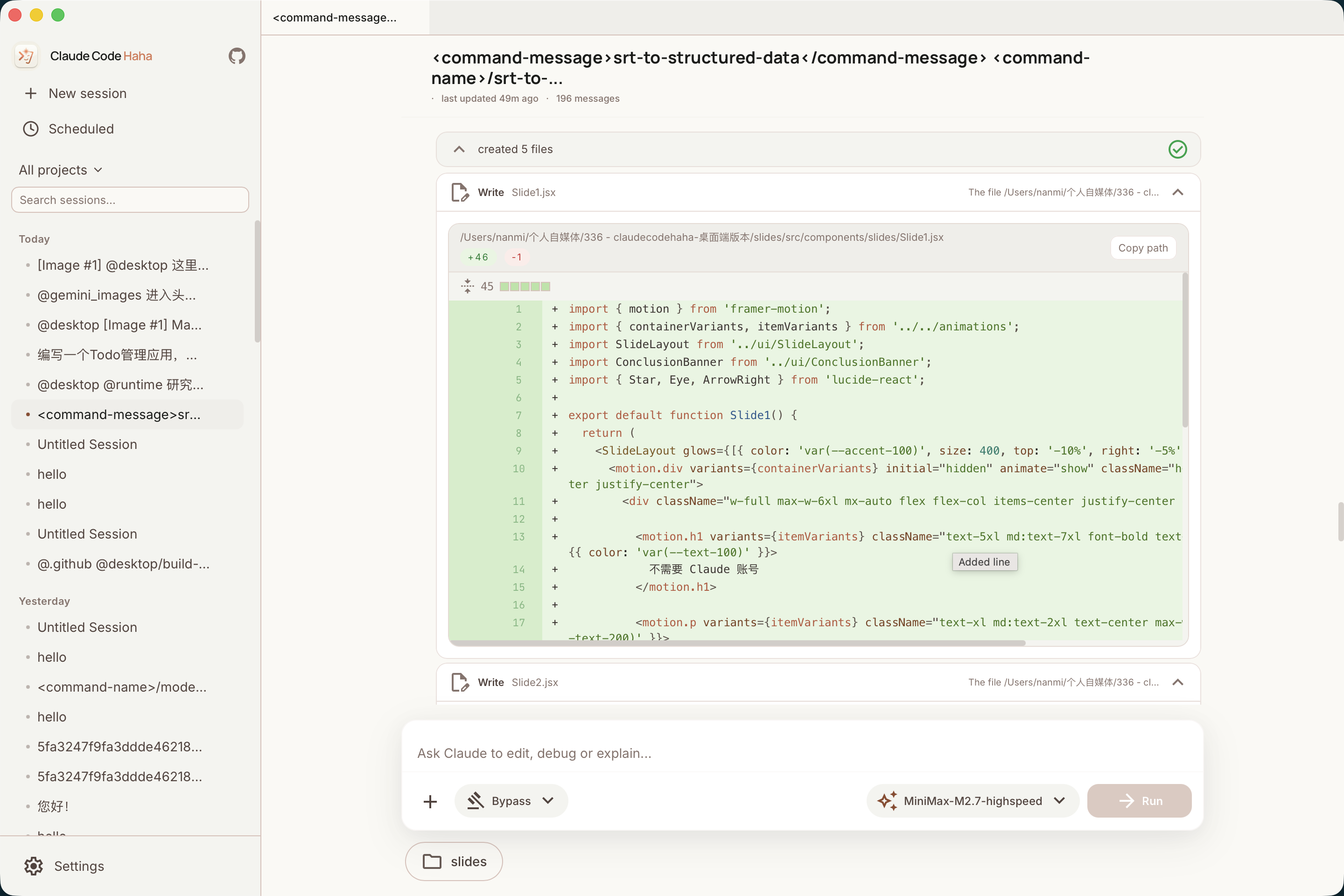
The Claude Code Haha desktop app brings sessions, multi-project navigation, branch / Worktree controls, right-side file changes, code diffs, permission review, provider setup, and remote access into one graphical workspace for daily development flows beyond the terminal.


 Desktop Workspace |
 Right-side Changes & Worktree |
 Code Editing & Diff View |
 Permission Review & AI Questions |
 H5 Remote Access |
 Token Usage |
 Computer Use |
 Scheduled Tasks |
Install the Desktop App
- Download the macOS / Windows / Linux desktop installer from Releases.
- On first launch, configure your model provider, API key, and default model in Settings.
- Public macOS releases require signing and notarization. Draft or unsigned temporary builds may still need one-time manual approval. Unsigned Windows installers may show SmartScreen; click "More info" -> "Run anyway". See the desktop installation guide.
Run the CLI from Source
For users who want to debug the underlying CLI, server, or local development flow:
bun install
cp .env.example .env
./bin/claude-haha
See environment variables and global usage for more configuration options.
Desktop Highlights
- Multi-session workspace: tabs, project switching, terminal entry, and session history in one place.
- Branch / Worktree launch: choose a repository branch and decide whether to use the current working tree or an isolated Worktree.
- Right-side file changes: review changed files, added/removed lines, and current workspace state while chatting.
- Visual code changes: inspect edits, file writes, and diffs directly in the desktop app.
- Permission review: approve risky commands, tool calls, and model follow-up questions in the GUI.
- Multi-provider setup: configure Anthropic-compatible APIs, third-party models, WebSearch fallback, and local options.
- Skill Marketplace: discover, preview, install, and manage third-party skills from ClawHub / SkillHub in the desktop app.
- Session Activity Panel: review tasks, background tasks, SubAgents, team activity, and sources in one side panel.
- Computer Use: let the agent take screenshots, click, type, and control desktop apps after authorization.
- H5 remote access: open the current desktop session from a phone or another device with a one-time token.
- IM integration: chat, switch projects, and approve actions through Telegram / Feishu / WeChat / DingTalk.
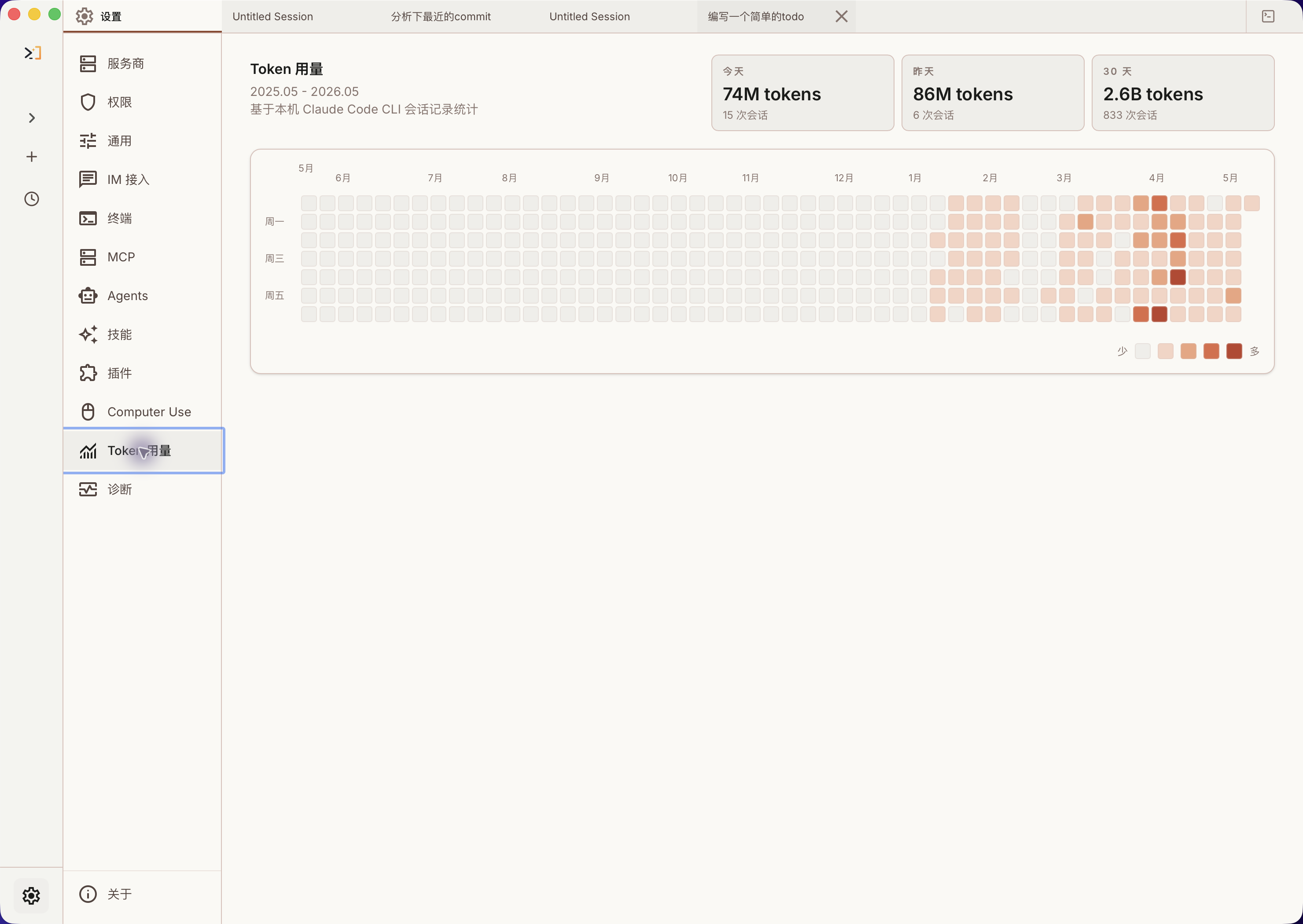
- Scheduled tasks and usage stats: create planned tasks and track local token usage trends.
More Documentation
| Document | Description |
|---|---|
| Environment Variables | Full env var reference and configuration methods |
| Third-Party Models | Using OpenAI / DeepSeek / Ollama and other non-Anthropic models |
| Contributing | Local tests, live model baselines, PR gates, and release gates |
| Memory System | Cross-session persistent memory usage and implementation |
| Multi-Agent System | Agent orchestration, parallel tasks and Teams collaboration |
| Skills System | Extensible capability plugins, custom workflows and conditional activation |
| IM Integration | Remote chat, project switching, and permission approval via Telegram / Feishu / WeChat / DingTalk |
| Computer Use | Desktop control (screenshots, mouse, keyboard) — Architecture |
| Desktop App | Electron + React GUI client — Quick Start | Architecture | Installation |
| Global Usage | Run claude-haha from any directory |
| FAQ | Common error troubleshooting |
| Source Fixes | Fixes compared with the original leaked source |
| Project Structure | Code directory structure |
Sponsorship & Partnership
This project is maintained in the author's spare time. Corporate or individual sponsorships are welcome to support ongoing development. Custom features, integrations, and business partnerships are also open for discussion.
| Sponsor | Description |
|---|---|
 接口AI |
Thanks to JieKou AI for sponsoring this project. JieKou AI provides official model resources with stable, high-performance API access. Subscription bundles are priced at 20% off the official rate; new users who register through this link and bind GitHub can claim a $3 coupon. |

|
Thanks to ShengSuanYun for sponsoring this project. ShengSuanYun is an industrial-grade AI task parallel execution platform for AI Native Teams, aggregating Claude, ChatGPT, Gemini, and other LLM, image, and video model capacity through direct, non-reverse-engineered access. Its platform SLA reaches 99.7%, with service status available online. It also supports dedicated enterprise gateways, cost and permission controls, smart routing, security protection, BYOK, usage-based billing, upcoming tokens plans, and invoicing. New users registering through this link can receive 10 yuan in model credits plus a 10% first top-up bonus. |

|
Thanks to TeamoRouter for sponsoring this project. TeamoRouter is an enterprise-grade Agentic LLM gateway for developers, AI teams, and businesses. Without any subscription, it lets you use Claude Code, Codex, Gemini CLI, and other popular AI agents through a single unified API, with API pricing at discounts of up to 90%. It aggregates hundreds of official model providers and trusted infrastructure partners — including OpenAI, Anthropic, Vertex, Azure, and AWS Bedrock — each verified for 100% Agent protocol compatibility, cache performance, and request traceability, delivering near-official TTFT, a 99.6% SLA, throughput up to 5,000 QPM, and industry-leading cache hit rates rather than reverse-engineered endpoints. It also offers centralized billing, team management, BYOK, smart routing, usage analytics, and dedicated support, and Teamo Desktop lets you use these AI agents with one-click setup. New users who register through this link receive 10% off their first top-up. |
📧 Contact: relakkes@gmail.com
☕ Buy Me a Coffee
If this project helps you, consider buying me a coffee — every bit of support keeps this project going ❤️
 WeChat Pay |
 Alipay |

Buy Me a Coffee |
Tech Stack
| Category | Technology |
|---|---|
| Language | TypeScript |
| Desktop app | Electron |
| Desktop UI | React + Vite |
| Local runtime | Bun |
| Terminal UI | React + Ink |
| CLI parsing | Commander.js |
| API | Anthropic SDK |
| Protocols | MCP, LSP |
Thanks
Thanks to the following open-source projects and community practices for reference and inspiration:
- React: frontend engineering and component-based UI ecosystem.
- Electron: cross-platform desktop app capabilities and engineering practices.
- cc-switch: reference for model provider configuration.
⭐ Star History
If this project helps you, please support it with a ⭐ Star so more people can discover Claude Code Haha.
Disclaimer
This repository is based on the Claude Code source leaked from the Anthropic npm registry on 2026-03-31. All original source code copyrights belong to Anthropic. It is provided for learning and research purposes only.